Standards live in documents, not authoring tools
Generic presentation software does not understand the module specification, course level, or exact weekly objectives.
AI-assisted course authoring for higher education
EduDeck AI helps programme leaders and module tutors create FHEQ-calibrated, source-grounded weekly sessions with preserved learning objectives, embedded activities, compliance checks, and distinct tutor and student PowerPoint outputs.
Human review remains in control. Unsupported content is flagged, not invented.
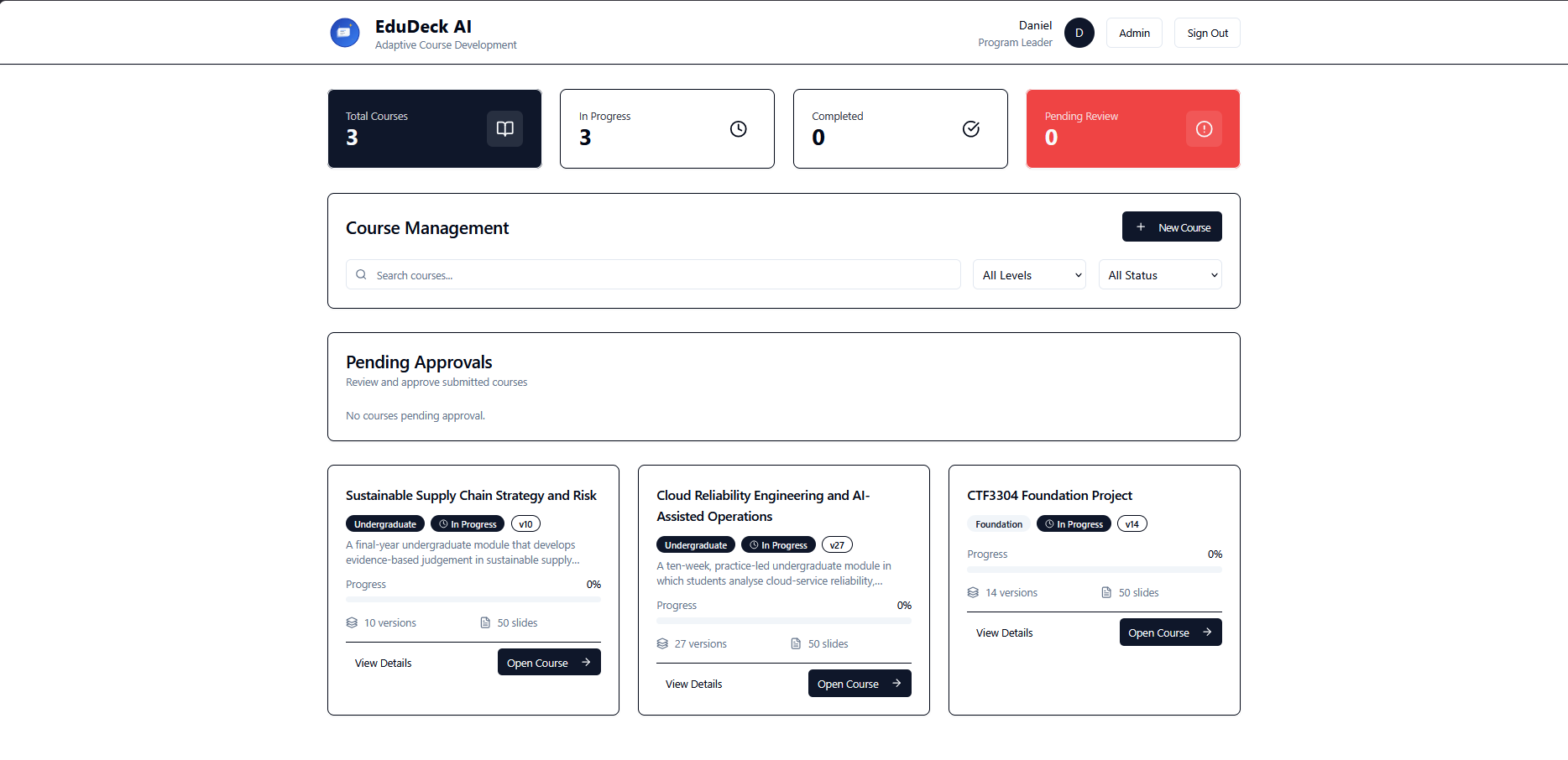
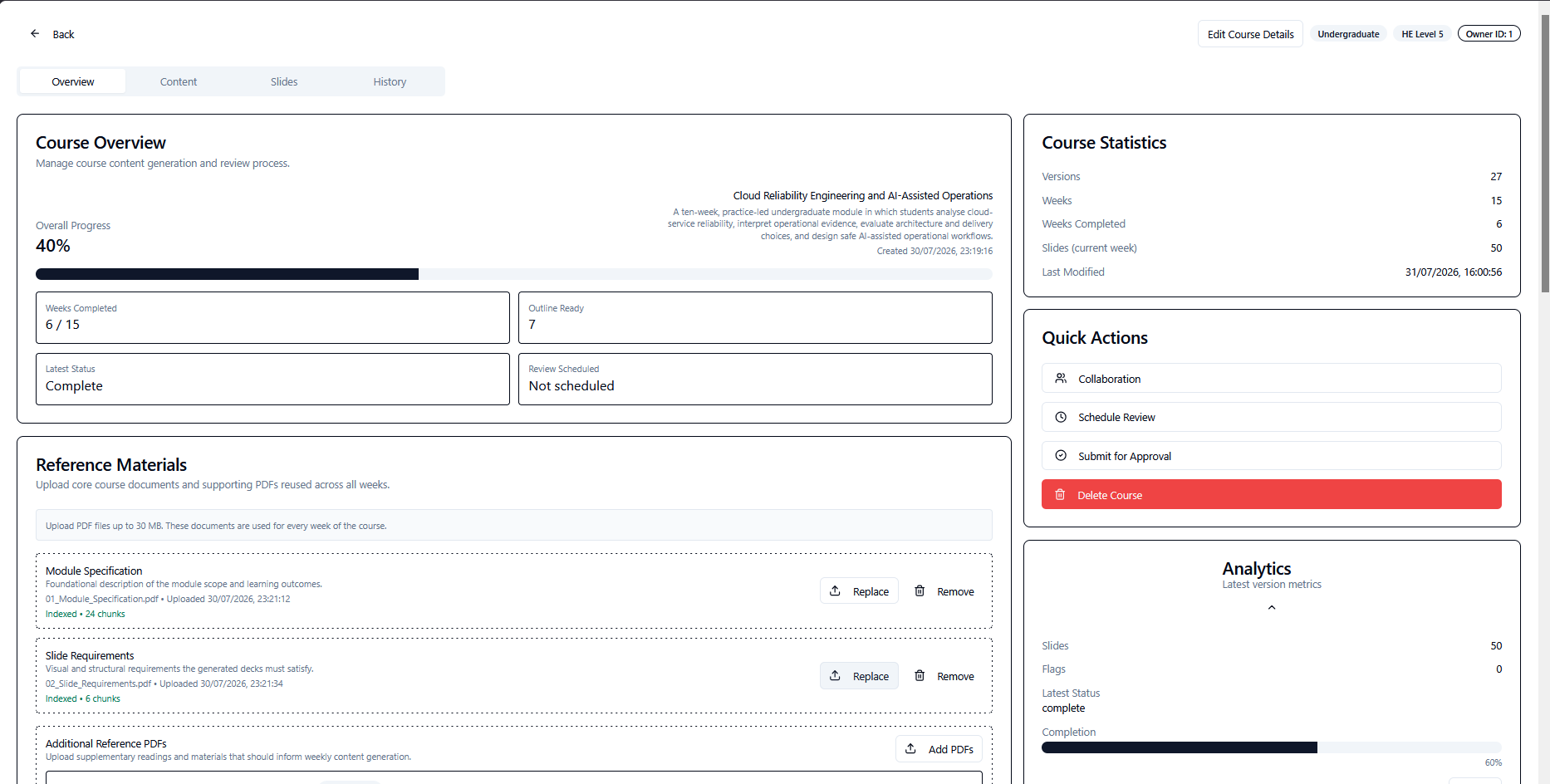
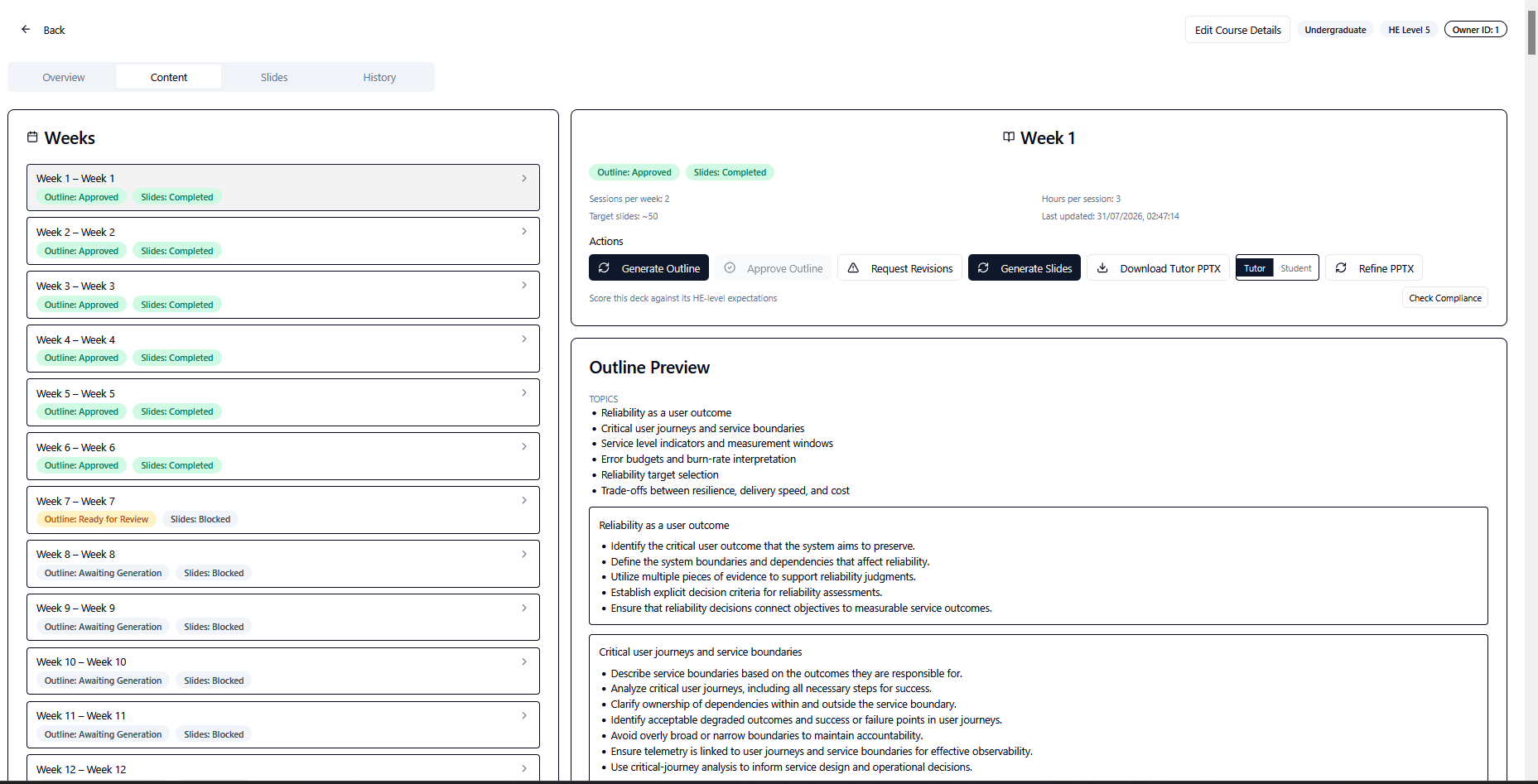
Substantive content traces back to uploaded academic materials.
FHEQ and Bloom rules shape vocabulary, depth, and activity design.
Outlines, slides, flags, approvals, and versions remain visible to the teaching team.
Export differentiated PowerPoint decks for tutors and students.
Module specifications, learning outcomes, academic references, and institutional requirements often live in separate documents. The lecturer is left to reconcile them manually, week after week, while maintaining consistent cognitive depth and teaching quality.
Generic presentation software does not understand the module specification, course level, or exact weekly objectives.
Even strong subject experts can interpret level, depth, activity design, and slide requirements differently.
A plausible response can still begin with weak inputs. Most tools do not identify the objective, source, or slide behind the quality problem.
EduDeck brings authoritative inputs, generation, actionable quality gates, targeted review, and human approval into one course-authoring workspace.
How it works
EduDeck follows the structure of real course-development work rather than asking users to begin with a blank prompt.
Set the course title, description, academic category, and HE level from Level 3 to Level 6.
Add the module specification, slide requirements, weekly topic map, administrative documents, and academic references.
Import or edit weekly topics and preserve the exact learning objectives that should govern each session.
Resolve any input or Bloom-verb guidance, then review the proposed weekly structure before full slide generation.
Generate a structured deck with cognitive progression, embedded activities, notes, and provenance.
Inspect targeted findings, create versioned corrections, approve the material, and download tutor and student PowerPoint decks.
Actionable quality gates
EduDeck checks course readiness and learning-objective wording before it generates a weekly outline. When a complete deck later needs stronger evidence or another targeted correction, the draft is preserved and the affected slides are identified for review.
Missing inputs and unsuitable learning-objective verbs are surfaced before the model begins creating the weekly outline.
EduDeck does not quietly change academic intent. It explains the issue and asks the user to approve or edit the wording.
The action word “write” is not recognised for Foundation / HE Level 3. Review the suggested wording before saving it.
Learning objective to update
The complete generated deck has been preserved. Only flagged slides require targeted review or repair.
Deck readiness
Review the affected slides and add or replace source material where EduDeck could not find enough evidence.
22 findings to reviewSlide 14: Common Types of Computing Projects
One or more slide points are not clearly supported by the uploaded course materials.
Sources checked: Christian Dawson · Projects in Computing and Information Systems.pdf
A complete draft that needs improvement remains available for review. EduDeck identifies affected slides and explains why they need attention.
EduDeck does not reduce quality control to a single score. It connects the finding to the slide, objective, source evidence, and next action.
How EduDeck responds
The academic team remains responsible for accepting wording changes, reviewing evidence, and approving final teaching materials.
Generation stays locked and EduDeck names the missing or unprocessed document category.
EduDeck identifies the week, objective, and action word, then suggests a measurable alternative.
The complete draft is preserved while affected slide points and sources checked are surfaced.
Product walkthrough
Generation remains locked until the required course evidence is present and usable. Instead of failing later with vague output, EduDeck makes missing inputs visible at the start.
Course readiness — 4/5 categories
Weekly outlines
Review the structure before the system generates a full deck. Programme leaders can approve the outline or request a revision while the intended learning objectives remain visible.
Inspect what the slide says, the cognitive level it targets, and the evidence used to support it. EduDeck keeps source traceability close to the content it produced.
Slide 12 of 25
Sources
Reference A, pp. 41–44 · Reference C, chunk 118 · Module specification §3.2
Presenter notes
Ask students to name one assumption before revealing the comparison table.
Compliance report — version 3
Compliance score with 5 open flags across evidence, cognitive depth, objectives, and activity design.
Corrections create version 4 — version 3 is retained.
Quality issues are surfaced as specific, actionable evidence. Corrections create a new version, preserving the history of what changed and why.
Insufficient evidence is flagged for review rather than replaced with plausible but unsupported content.
Control vocabulary, cognitive depth, permitted verbs, and the expected ceiling for each HE level.
Preserve weekly objectives verbatim so the session remains tied to the approved academic intent.
Trace substantive bullets back to uploaded references and flag evidence gaps for review.
Interleave structured discussions, case analysis, problem-solving, critique, and synthesis tasks.
Surface slide-specific issues across evidence, cognitive progression, objectives, and activity quality.
Produce a detailed tutor deck with notes and a concise student deck without presenter notes.
Support programme-leader oversight, faculty collaboration, course ownership, approval, and transfer.
Apply evidence-safe corrections through new versions rather than silently replacing earlier material.
Designed around how learning develops
EduDeck structures each session as a cognitive arc. Early slides establish understanding, middle slides move into application, and later slides reach the analysis, evaluation, or creation expected at the course's HE level.
Level 3
Ceiling: Apply
Level 4
Ceiling: Analyse
Level 5
Ceiling: Evaluate
Level 6
Ceiling: Create or synthesise
Lower Bloom levels remain valid at higher HE levels. The requirement is progressive depth, not forcing every slide to operate at the maximum level. EduDeck uses cumulative level profiles: a Level 6 session may still begin with recall, but it should intentionally reach creation or synthesis.
EduDeck places formative activities at meaningful points in the session and gives each activity a clear instruction, expected student output, and approximate duration.
In pairs, agree on the two strongest assumptions behind the framework introduced.
Read the short case and identify which factors drove the recorded outcome.
Apply this week's method to the scenario dataset and record your steps.
Exchange your draft response and give two evidence-based improvement points.
Argue for or against the proposition using the sources provided.
Summarise how the week's readings converge and diverge in 150 words.
Interpret the supplied artefact and state what it does and does not evidence.
Activity formats rotate across weeks to reduce repetitive delivery. Example activities are generic — not every format suits every subject.
Comparing approaches
Presenter notes: Pause here; ask for one assumption before the table.
Activity: peer critique
Presenter notes: 10 minutes. Circulate and sample two responses.
Comparing approaches
Activity: peer critique
The student version is not a hidden-notes copy of the tutor deck. It is a distinct pedagogical output designed for student use.
EduDeck helps academic teams scale repeatable standards, but it does not remove accountability. Users still review outlines, inspect sources, edit slides, respond to flags, approve versions, and decide what is ready for delivery.
AI assists the authoring process. The academic team remains responsible for the final teaching material.
Make level expectations, module intent, and approval standards repeatable across the course.
Begin with structured, source-grounded material rather than a blank slide deck.
Review visible alignment, provenance, activity design, and version history.
Support a consistent, controlled authoring workflow across academic teams.
EduDeck combines content generation with the controls academic teams need to review, approve, and improve the result.
Course documents → parsing and indexing → source retrieval → generation and quality checks → targeted review and versioning → PowerPoint export
See how EduDeck AI can turn validated course inputs into structured, source-grounded, reviewable teaching materials.
For programme leaders, module tutors, learning technologists, and quality-assurance teams.